Artificial Intelligence tools are evolving fast. A few years ago, AI chatbots could only answer questions. Today, they can browse files, connect to apps, automate workflows, write code, query databases, and even control tools across your computer.
One of the biggest reasons this shift is happening is something called MCPs.
If you have recently seen developers talking about MCP servers, Claude MCP, AI agents, or “tool-enabled AI systems” and felt completely lost, this guide is for you.
By the end of this article, you will understand:
- What MCPs actually are
- Why they matter in modern AI workflows
- How MCPs work
- Real-world use cases
- How to set them up
- How beginners can use them to become dramatically more productive
What Is an MCP?
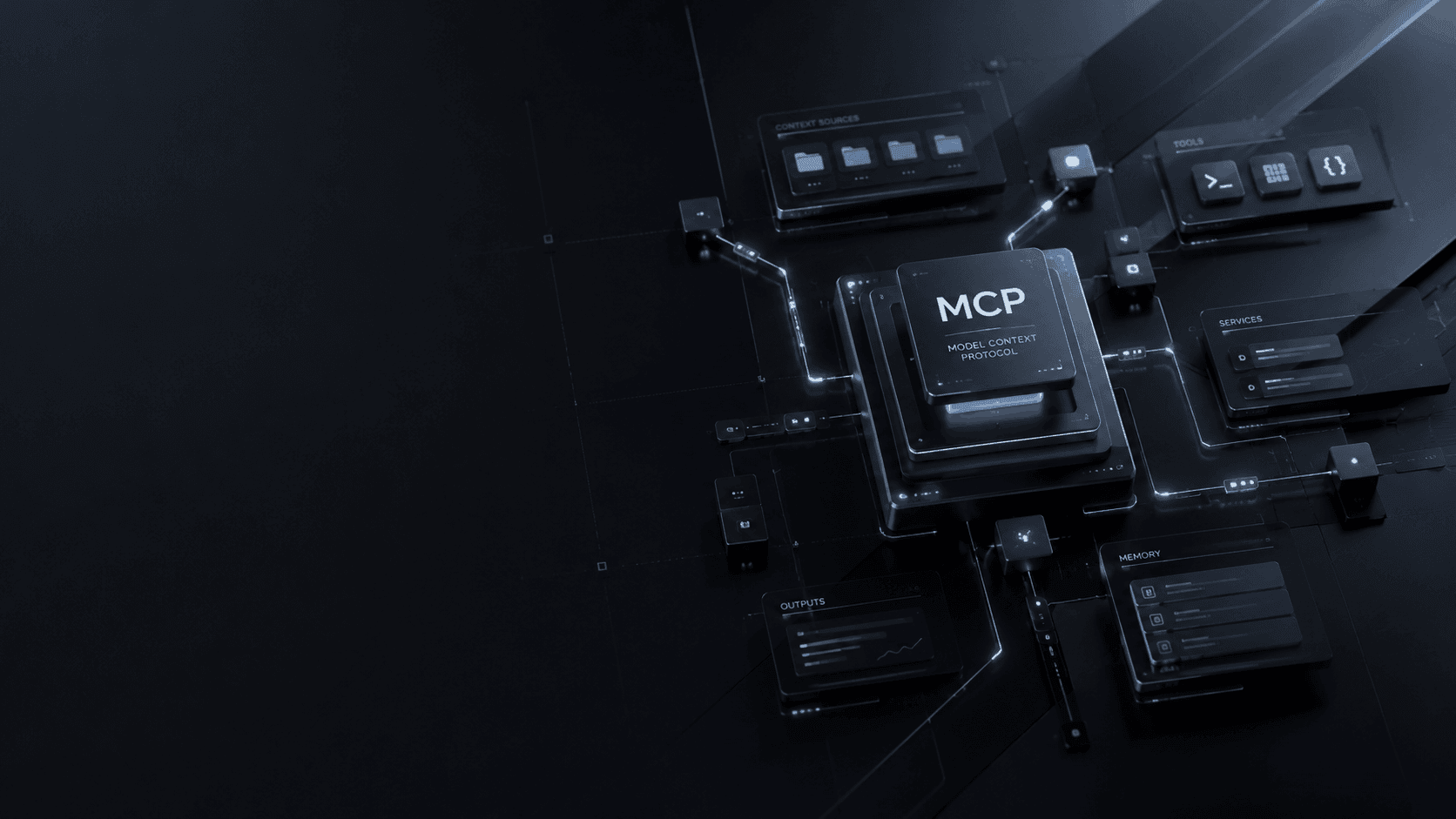
MCP stands for Model Context Protocol.
It is an open standard that allows AI models to connect with external tools, applications, databases, APIs, and local files in a structured and secure way.
Think of MCP as a bridge between an AI model and the tools you use every day.
Without MCPs, an AI assistant is mostly limited to conversation.
With MCPs, the AI can:
- Read your files
- Search databases
- Use APIs
- Access GitHub repositories
- Work with Notion
- Control development tools
- Execute commands
- Automate repetitive tasks
- Interact with apps in real time
In simple terms:
MCPs give AI “hands” instead of only a “brain.”
Why MCPs Are Becoming Important
AI is moving from being a chatbot to becoming an actual working assistant.
People no longer want AI that only explains things. They want AI that can help do things.
For example:
Instead of asking:
“How do I create a React component?”
You can ask:
“Create the component, save it in my project folder, run the dev server, and fix any TypeScript errors.”
That kind of workflow becomes possible through MCP integrations.
This is why MCPs are becoming a major topic in:
- Software engineering
- Automation
- AI agents
- Productivity systems
- Research workflows
- Data analysis
- Content creation
How MCPs Work
An MCP setup usually has three parts:
1. The AI Model
This is the intelligence layer.
Examples include:
- OpenAI models
- Anthropic Claude
- Local LLMs
- AI coding assistants
The model understands your request.
2. The MCP Client
The client acts as the middle layer between the AI and external tools.
It:
- Sends requests
- Manages permissions
- Passes context
- Handles tool execution
Popular MCP-compatible clients include:
- Claude Desktop
- AI IDE integrations
- Agent frameworks
- Custom AI assistants
3. MCP Servers
This is where the real power lives.
An MCP server exposes tools or resources the AI can use.
Examples:
- File system access
- GitHub integration
- Database queries
- Browser automation
- Terminal access
- Notion integration
- Figma access
- Slack tools
The AI communicates with these servers using the MCP standard.
A Simple Real-World Example
Imagine you are building a website.
Without MCP:
- You ask AI for code
- Copy it manually
- Paste it into VS Code
- Fix issues yourself
With MCP:
- AI reads your project files
- Understands your folder structure
- Creates components directly
- Runs commands
- Detects errors
- Updates files automatically
Instead of acting like a search engine, the AI behaves more like a junior developer working alongside you.
Why Developers Are Excited About MCPs
MCPs solve one of the biggest limitations in AI systems:
Context fragmentation.
Normally, AI has no memory of:
- Your files
- Your apps
- Your databases
- Your workflow
- Your projects
MCPs allow the AI to access that context safely and intelligently.
This creates:
- Better responses
- Smarter automation
- Faster workflows
- More personalized assistance
Common MCP Use Cases
1. AI Coding Assistants
This is currently the most popular use case.
AI can:
- Read repositories
- Understand project architecture
- Generate code
- Debug applications
- Refactor components
- Run terminal commands
Perfect for:
- React developers
- Python developers
- Backend engineers
- Students learning programming
2. Content Creation
Writers and marketers can use MCPs to:
- Pull research automatically
- Organize notes
- Generate drafts
- Manage publishing workflows
- Connect with CMS systems
For bloggers, this can reduce hours of repetitive work.
3. Research Automation
Researchers can connect AI to:
- PDFs
- Research databases
- Spreadsheets
- Notes
- Academic resources
Instead of manually searching across documents, AI can analyze everything together.
4. Business Workflows
Companies are using MCPs for:
- Customer support automation
- Internal dashboards
- Data retrieval
- Report generation
- Team collaboration
5. Personal Productivity
MCPs can connect AI with:
- Calendars
- To-do apps
- Notes
- Email systems
- Task managers
This creates a centralized AI assistant for daily work.
Popular MCP Tools and Ecosystems
Here are some important names beginners should know.
Anthropic Claude MCP
Claude popularized MCP adoption by supporting external MCP servers in Claude Desktop.
This made it easier for developers to connect AI with tools locally.
Official site: Anthropic
OpenAI
OpenAI is also moving heavily toward tool-enabled AI systems and agent workflows.
Official site: OpenAI
GitHub MCP Integrations
GitHub integrations allow AI to:
- Read repositories
- Review pull requests
- Analyze commits
- Help with debugging
Official site: GitHub
How to Set Up MCPs (Beginner-Friendly)
The exact setup depends on the tools you use, but the basic process looks like this.
Step 1: Install an MCP-Compatible Client
A common beginner choice is Claude Desktop.
Download it from: Claude Desktop
Step 2: Install Node.js
Many MCP servers run using Node.js.
Download Node.js: Node.js
Step 3: Install an MCP Server
Examples:
- Filesystem server
- GitHub server
- Browser automation server
Many are available on GitHub.
Step 4: Configure the MCP Settings
Most setups involve editing a configuration file like:
json1{
2  "mcpServers": {
3    "filesystem": {
4      "command": "npx",
5      "args": ["-y", "@modelcontextprotocol/server-filesystem"]
6    }
7  }
8}
This tells the AI client which MCP servers it can access.
Step 5: Restart the AI Client
After restarting, the AI can now interact with the connected tools.
Important Security Considerations
MCPs are powerful, which means permissions matter.
If you connect AI to:
- Your filesystem
- Terminal
- Databases
- APIs
…you should understand exactly what access is being granted.
Best practices:
- Use trusted MCP servers
- Avoid giving unnecessary permissions
- Separate sensitive projects
- Review configurations carefully
- Use sandbox environments when possible
Treat MCP-enabled AI like giving someone temporary access to your workstation.
How MCPs Can Improve Your Workflow
For beginners, the biggest advantage is speed.
Tasks that normally take:
- 30 minutes
- 1 hour
- Multiple tabs
- Constant copy-pasting
…can often be reduced to a few prompts.
Examples:
Developers
- Generate components faster
- Debug errors quicker
- Automate repetitive coding tasks
Writers
- Research faster
- Organize notes automatically
- Generate article structures instantly
Students
- Analyze documents
- Summarize learning materials
- Build study systems
Entrepreneurs
- Automate reports
- Connect business tools
- Streamline operations
The Bigger Picture: AI Agents
MCPs are also a foundation for something much larger:
AI agents.
An AI agent is an AI system capable of:
- Making decisions
- Using tools
- Completing tasks autonomously
- Managing workflows
MCPs provide the infrastructure that allows agents to interact with the outside world.
This is why many experts believe MCPs could become a major standard in the future of AI applications.
Should Beginners Learn MCPs?
Yes — especially if you:
- Work in tech
- Use AI tools regularly
- Want to automate workflows
- Are learning software development
- Want to stay ahead in AI trends
You do not need to become an expert immediately.
Start small:
- Connect a filesystem server
- Try GitHub integration
- Experiment with AI-assisted workflows
The goal is not to replace your skills.
The goal is to remove friction from repetitive tasks so you can focus on higher-level thinking and creativity.
Final Thoughts
MCPs are changing how people interact with AI.
Instead of isolated chatbots, we are moving toward AI systems that can:
- Understand context
- Use tools
- Access workflows
- Perform actions
- Collaborate with humans more effectively
For beginners, MCPs may sound technical at first, but the core idea is simple:
They allow AI to interact with the real world of apps, files, tools, and workflows.
And that changes everything.
The earlier you learn how MCP-powered systems work, the better prepared you will be for the next generation of AI-powered productivity tools.