If you’ve ever opened your laptop to “study for one hour” and somehow ended up watching random YouTube videos, reorganizing folders, or rereading the same paragraph five times without understanding it… welcome to the club.
Modern studying is exhausting.
The problem isn’t always laziness. Sometimes it’s information overload. PDFs everywhere. Lecture slides that make no sense. Notes scattered across apps. YouTube tutorials explaining things differently from your lecturer. And somehow you’re expected to connect all of it before exams.
That’s where Google’s NotebookLM genuinely surprised me.
At first, I thought it was just another AI note-taking tool riding the AI hype wave. But after actually using it for studying, research, and organizing technical topics, I realized something important:
NotebookLM doesn’t feel like a chatbot.
It feels like a study partner that already read all your materials before you even asked a question.
And honestly? That changes everything.
So… What Exactly Is NotebookLM?
NotebookLM is an AI-powered research and learning assistant built by Google.
Instead of pulling random answers from the internet like many AI tools do, NotebookLM works directly with your own uploaded sources.
You upload things like:
- Lecture notes
- PDFs
- Research papers
- PowerPoint slides
- Study guides
- Google Docs
- Website links
- Textbooks
- Meeting notes
- Recorded transcripts
Then the AI becomes specialized in your material only.
That single difference makes the experience feel dramatically more accurate and useful for studying.
Because instead of generic AI answers, you get explanations grounded in the exact content you’re learning from.
The First Time I Realized This Tool Was Different
I uploaded:
- networking lecture slides
- a PDF textbook
- my messy class notes
- some online documentation
Then I asked:
“Explain subnetting like I’m a beginner and use examples from my lecture slides.”
And it did exactly that.
Not only did it explain the concept simply, but it also cited where the information came from inside my uploaded documents.
That was the moment it clicked for me:
This isn’t just AI answering questions.
It’s AI studying WITH you.
1. Source-Grounded Chat — The Feature That Makes NotebookLM Feel Trustworthy
Most AI tools have one annoying problem:
They sometimes sound confident even when they’re wrong.
NotebookLM solves this with something called Source-Grounded Chat.
Every answer comes directly from your uploaded sources, complete with citations.
That means you can ask questions like:
- “Summarize chapter 4”
- “What did the lecturer mean by attenuation?”
- “Compare these two theories”
- “Which formula appears most in the notes?”
- “What are the key exam topics?”
And instead of hallucinating random information, NotebookLM points directly to your documents.
As a student, this matters A LOT.
Because when you’re studying for exams, confidence is dangerous if it’s incorrect confidence.
NotebookLM feels safer because you can verify where the answer came from instantly.
2. Audio Overviews Turn Boring Notes Into Podcast Conversations
This feature honestly feels futuristic.
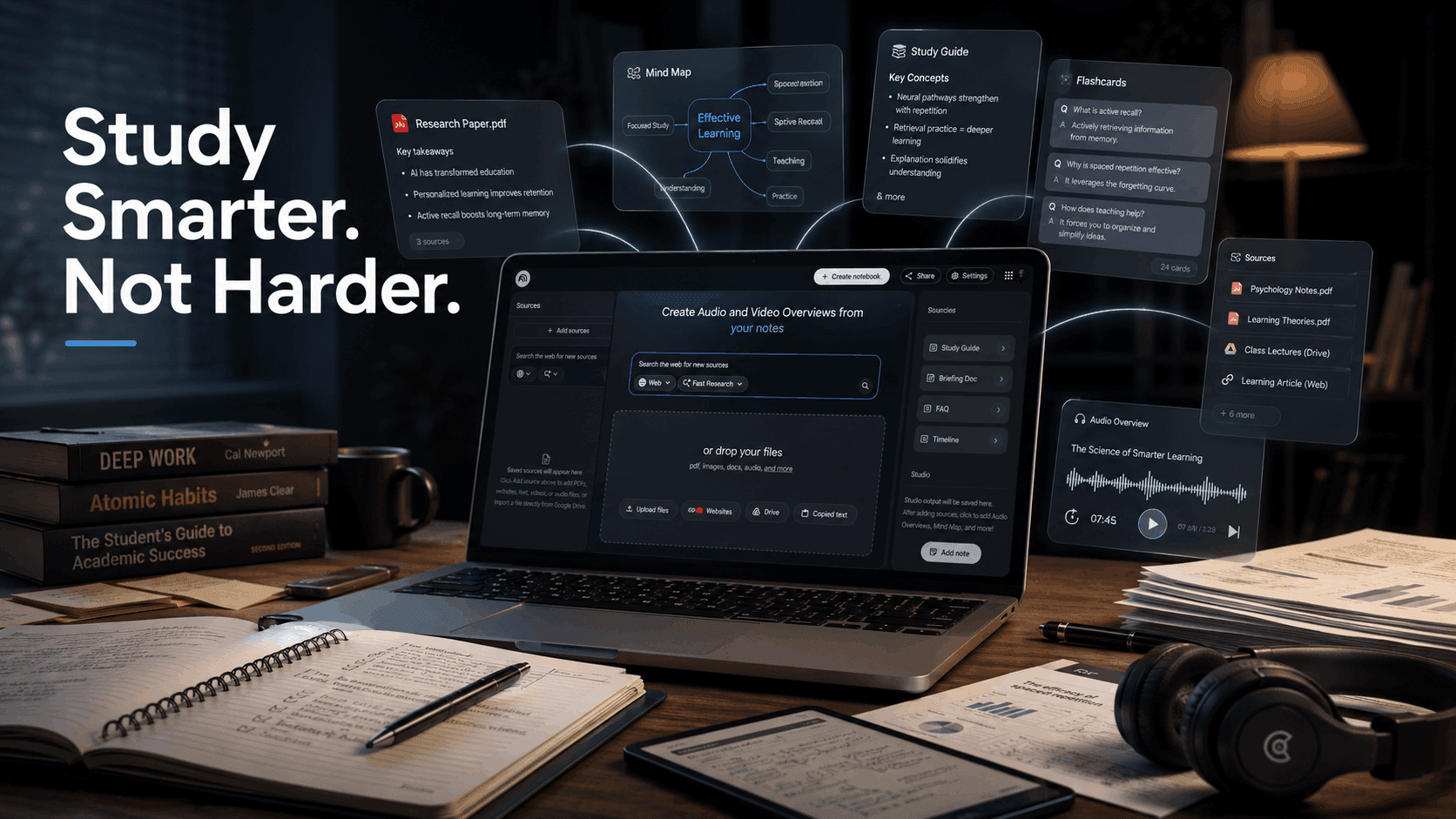
NotebookLM can generate podcast-style discussions between two AI hosts based on your study material.
And surprisingly…
They sound GOOD.
Instead of staring at 70-slide presentations until your brain melts, you can listen to your study material like a podcast while:
- walking
- commuting
- cleaning
- exercising
- cooking
- resting your eyes
I tested this with technical notes once and ended up understanding the topic better because hearing concepts discussed conversationally made them easier to remember.
It feels less like studying and more like listening to smart people explain the topic naturally.
For auditory learners, this feature is ridiculously powerful.
3. Learning Guide — Probably the Most Underrated Feature
Most students study passively.
They reread. Highlight. Reread again. Then forget everything during exams.
NotebookLM’s Learning Guide behaves more like a tutor.
Instead of dumping answers immediately, it asks:
- probing questions
- follow-up questions
- reasoning checks
- concept reinforcement prompts
It adapts explanations depending on how you respond.
That’s important because real learning happens when your brain is forced to think — not just consume information.
When I used this feature for technical subjects, I noticed I remembered concepts longer because I was actively engaging with the material instead of mechanically memorizing it.
4. Automated Study Aids Save an Unreal Amount of Time
This is where NotebookLM becomes dangerous in the best way possible.
You upload your materials…
…and instantly generate:
- flashcards
- quizzes
- practice questions
- summaries
- mind maps
The quiz feature is especially useful because it explains why an answer is wrong instead of just marking it incorrect.
That small detail matters more than people think.
Good studying isn’t just about knowing correct answers.
It’s understanding:
“Why did I think the wrong answer was right?”
That’s how real improvement happens.
5. Video & Cinematic Overviews Make Dense Topics Less Intimidating
Some subjects are visually overwhelming.
Huge reports. Complicated research. Long presentations. Dense theory-heavy material.
NotebookLM can transform them into narrated slideshow-style video overviews tailored for different audiences.
This is incredibly useful when:
- reviewing before exams
- simplifying difficult topics
- preparing presentations
- learning complex systems quickly
Instead of manually turning notes into visuals, the tool helps organize information into something your brain can process faster.
And honestly, visual learning reduces fatigue a lot.
6. Dynamic Reports & Slide Decks Feel Like Having an Academic Assistant
One thing students rarely talk about is how exhausting it is to organize information from multiple sources.
NotebookLM helps combine materials into:
- reports
- critiques
- blog-style summaries
- presentations
- structured notes
- study documents
I found this especially useful when researching broad technical topics where information was scattered across PDFs, websites, and slides.
Instead of manually stitching everything together, NotebookLM creates a cleaner starting point you can refine.
It doesn’t replace your thinking.
It removes the tedious part.
Big difference.
7. Massive Context Window = No More “AI Forgot My Notes”
Many AI tools struggle with large documents.
NotebookLM supports up to 25 million words per notebook.
That’s honestly massive.
You can dump:
- semesters of lecture notes
- textbooks
- research archives
- documentation
- multiple classes
…into one organized workspace.
This becomes incredibly powerful for:
- final exam prep
- thesis research
- large projects
- technical learning
- certification studies
Instead of jumping between tabs endlessly, your knowledge stays centralized.
8. Data Visualization Helps Your Brain Understand Faster
Some concepts are easier to understand visually than textually.
NotebookLM includes visualization styles like:
- Sketch Notes
- Bento Grids
- Scientific layouts
- visual summaries
- infographic-style breakdowns
And surprisingly, these aren’t just “pretty visuals.”
They genuinely help reduce cognitive overload.
Sometimes your brain doesn’t need more words.
It needs structure.
The Biggest Reason NotebookLM Actually Helps Students
Here’s the real reason I think this tool stands out:
Most study tools focus on storing information.
NotebookLM focuses on helping you interact with information.
That’s the difference between:
- collecting notes vs
- actually understanding the material
It reduces friction between:
- confusion → clarity
- reading → understanding
- memorizing → learning
And that shift matters more than flashy AI marketing.
What NotebookLM Does NOT Replace
Let’s be realistic.
NotebookLM will not:
- magically make you disciplined
- study for you
- replace deep thinking
- guarantee good grades
You still need:
- consistency
- revision
- practice
- focus
- understanding
But it does remove a huge amount of study friction.
And sometimes that’s exactly what students need.
My Best Advice for Using NotebookLM Effectively
After using it for a while, here’s what works best:
Upload CLEAN materials
Good inputs = better outputs.
Ask specific questions
Instead of:
“Explain networking”
Ask:
“Explain subnetting using examples from lecture 3.”
Use it actively
Don’t just read summaries. Challenge yourself with quizzes and tutor-style questioning.
Combine formats
Read summaries. Listen to audio overviews. Use flashcards. Review visual maps.
The repetition across formats helps concepts stick much better.
Final Thoughts
A lot of AI tools promise productivity.
Very few genuinely reduce mental workload while improving learning quality.
NotebookLM is one of the few tools that actually made studying feel less chaotic for me.
Not easier in a lazy way.
Smarter in a structured way.
It transforms:
- messy notes into conversations
- giant PDFs into understandable summaries
- passive studying into active learning
And for students dealing with overwhelming amounts of information, that can make a huge difference.
If you’re someone who struggles with:
- information overload
- disorganized notes
- boring revision
- inefficient studying
- difficulty understanding dense topics
…NotebookLM is absolutely worth trying.
Not because it replaces studying.
But because it helps you study like your brain actually works.