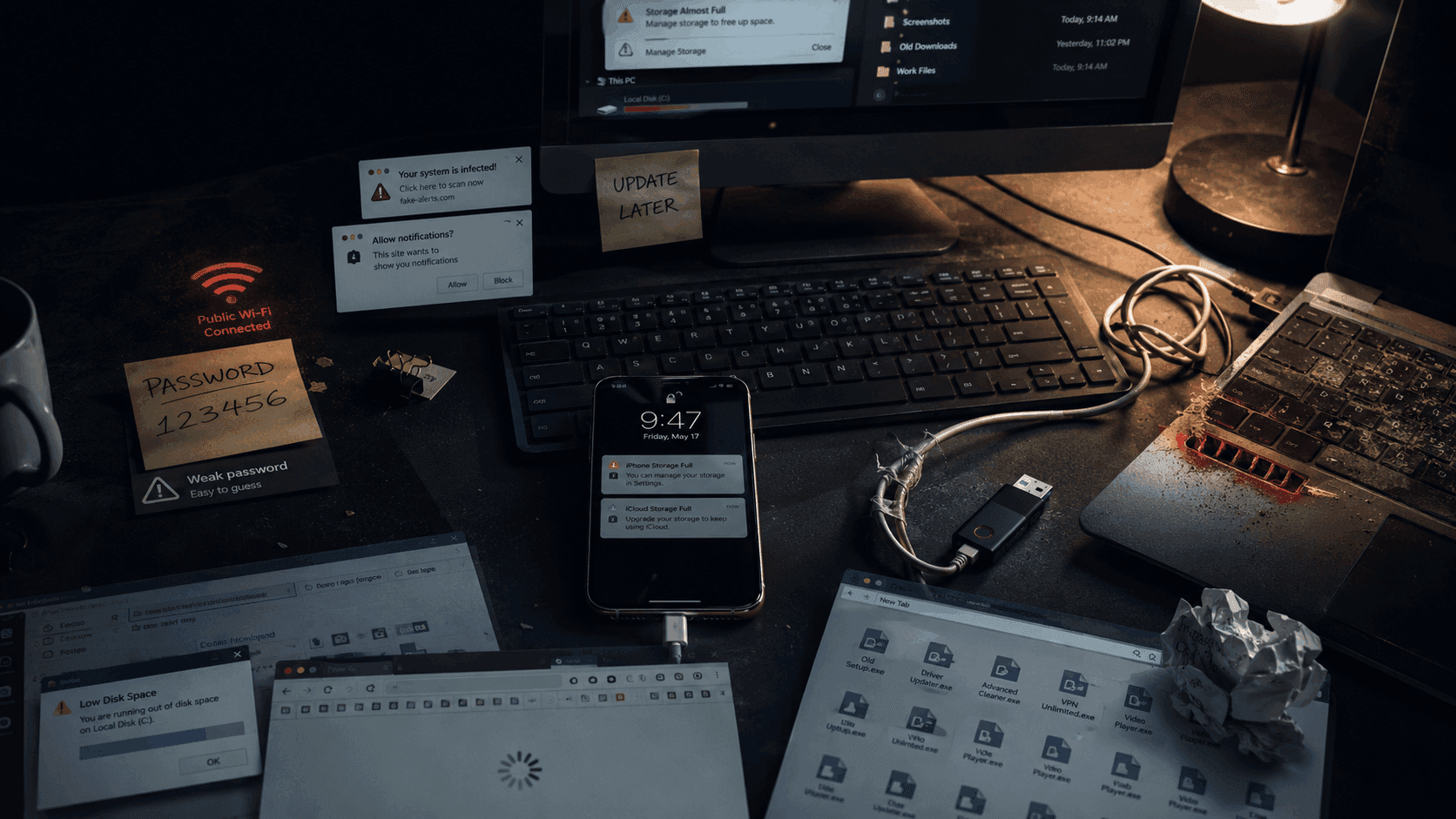
Most people don’t break their devices because they’re “bad with technology.”
They break things because nobody ever taught them the small habits that actually matter.
So what happens?
A laptop becomes painfully slow after one year. A phone suddenly overheats. An email gets hacked. A storage drive stops working. A browser becomes flooded with spam notifications. A device freezes at the worst possible moment.
And usually, the problem wasn’t bad luck.
It was one tiny mistake repeated over and over.
The frustrating part is that most of these issues are completely preventable.
You do not need to be:
- an IT professional
- a cybersecurity expert
- a programmer
- “good with computers”
You just need better digital habits.
Here are 10 extremely common tech mistakes beginners make — and how to fix them before they become expensive problems.
1. Using the Same Password for Everything
This is probably the most dangerous habit on the list.
A shocking number of people still reuse the same password for:
- Gmail
- banking apps
- Netflix
- work accounts
- shopping websites
Why?
Because it’s easier to remember.
Unfortunately, it’s also exactly what hackers expect.
Here’s the problem: if just one website gets hacked and your password leaks online, attackers immediately test that same password on other services.
That means one weak password can unlock your entire digital life.
Fix It Fast
Use:
- unique passwords for important accounts
- a password manager like Bitwarden or 1Password
- two-factor authentication whenever possible
Your email password especially should never be reused anywhere else.
Because once someone gets your email, they can reset almost everything.
2. Ignoring Software Updates Because They Feel “Annoying”
Everyone has done this.
Your phone says:
“Update available.”
You press:
“Remind me later.”
Then again. And again. And again.
Months pass.
The issue is that updates are not just about new features.
Many updates fix:
- security vulnerabilities
- bugs
- crashes
- battery issues
- performance problems
Cybercriminals actively target outdated systems because known security holes become public after patches release.
Fix It Fast
Enable automatic updates whenever possible for:
- phones
- browsers
- operating systems
- antivirus software
- apps
Modern updates are far less disruptive than dealing with malware or data loss later.
3. Leaving Your Laptop Plugged In 24/7
A lot of people treat laptops like desktop computers.
Always charging. Always plugged in. Battery permanently sitting at 100%.
Over time, this slowly damages battery health — especially on older devices.
Heat is the real enemy here.
Constant charging generates unnecessary heat stress that wears batteries down faster.
Fix It Fast
If your laptop supports battery optimization settings, enable them.
Many modern laptops from:
- Apple
- Dell
- Lenovo
- ASUS
can intelligently limit charging to preserve battery lifespan.
Also:
- unplug occasionally
- avoid excessive heat
- don’t block cooling airflow
Your future battery health will thank you.
4. Never Cleaning Dust From Laptop Vents
This one quietly destroys performance.
Dust buildup blocks airflow. Blocked airflow traps heat. Heat slows down components.
Eventually your laptop starts:
- overheating
- lagging
- crashing
- sounding like a helicopter
And many people think:
“My laptop is old.”
Sometimes it’s just dirty.
Fix It Fast
Every few months:
- clean vents carefully
- use compressed air
- avoid using laptops on blankets or beds
- keep airflow paths clear
A clean cooling system dramatically improves longevity.
5. Downloading Apps From Random Websites
This is how a lot of malware infections begin.
You search:
“Free video editor download”
Then click the first suspicious website with:
- giant green download buttons
- fake installers
- popup ads everywhere
And suddenly your browser homepage changes forever.
Fix It Fast
Download software only from:
- official websites
- Microsoft Store
- Apple App Store
- Google Play Store
- trusted developer platforms
If a website looks sketchy, overloaded with ads, or aggressively pushes downloads — leave immediately.
6. Never Restarting Your Device
Some people proudly say:
“My laptop has been on for 47 days.”
That is not impressive.
Modern devices still need occasional restarts because temporary processes accumulate over time.
Without restarting, systems slowly build:
- memory leaks
- stuck background tasks
- software conflicts
- update problems
This often causes:
- slowdowns
- freezing
- weird crashes
Fix It Fast
Restart your:
- phone
- laptop
- desktop
- tablet
at least occasionally.
It solves far more issues than people expect.
There’s a reason IT support always asks:
“Have you tried restarting it?”
Because embarrassingly often, that actually works.
7. Clicking “Allow” on Every Browser Notification
You visit one website.
Suddenly:
“Allow notifications?”
You click yes without thinking.
Now your browser constantly shows:
- fake virus warnings
- gambling ads
- suspicious popups
- scam alerts
- fake software updates
Many of these notifications are deliberately deceptive.
Fix It Fast
Only allow notifications from websites you genuinely trust.
Also:
- regularly review browser notification permissions
- remove suspicious websites
- block notification abuse entirely if unnecessary
Your sanity improves immediately afterward.
8. Pulling Out USB Drives Without Ejecting Them
People underestimate how often this corrupts files.
When you remove a USB drive too quickly, your computer may still be:
- transferring data
- writing files
- updating storage indexes
Interrupting this process can damage:
- files
- folders
- the entire drive
Fix It Fast
Always:
- safely eject USB drives
- wait a few seconds
- then remove them physically
Tiny habit. Huge difference.
Especially for important documents.
9. Ignoring Storage Warnings Until Everything Breaks
Many devices become painfully slow simply because storage is completely full.
When storage runs critically low:
- apps fail
- updates stop
- temporary files pile up
- performance collapses
Phones especially behave terribly when nearly full.
Fix It Fast
Regularly:
- delete unused apps
- clear downloads
- remove duplicate videos
- move files to cloud storage
- empty recycle bins
You don’t need 14 blurry screenshots of the same thing from 2021.
Probably.
10. Using Public Wi-Fi Without Any Protection
Free Wi-Fi feels convenient.
But public networks in:
- cafes
- airports
- hotels
- malls
can expose your traffic to attackers if handled carelessly.
Especially unsecured networks.
Fix It Fast
Avoid:
- banking on public Wi-Fi
- entering sensitive passwords
- downloading sensitive files
Whenever possible:
- use mobile data
- use a trusted VPN
- verify the network name carefully
And never connect to suspicious networks named things like:
“FREE AIRPORT WIFI DEFINITELY REAL”
Cybercriminals are creative. Unfortunately.
The Bigger Problem Behind These Mistakes
Most tech problems are not caused by advanced hacking.
They’re caused by:
- convenience
- bad habits
- ignoring warnings
- assuming “it won’t happen to me”
Technology rewards small consistent habits.
Tiny improvements compound:
- stronger passwords
- regular updates
- cleaner devices
- smarter browsing
Over time, those habits save:
- money
- stress
- battery life
- productivity
- personal data
A Simple Rule That Prevents Most Tech Problems
Before clicking, downloading, installing, or connecting to something, ask:
“Does this actually look trustworthy?”
That one pause prevents an unbelievable number of mistakes.
Final Thoughts
The good news is that you do not need to become a cybersecurity expert or computer engineer to avoid most common tech disasters.
You just need:
- better habits
- a little awareness
- occasional maintenance
- less blind clicking
Modern technology is powerful.
But it also punishes neglect surprisingly fast.
The people who seem “good with computers” are usually not geniuses.
They’ve just learned which small mistakes to stop repeating.