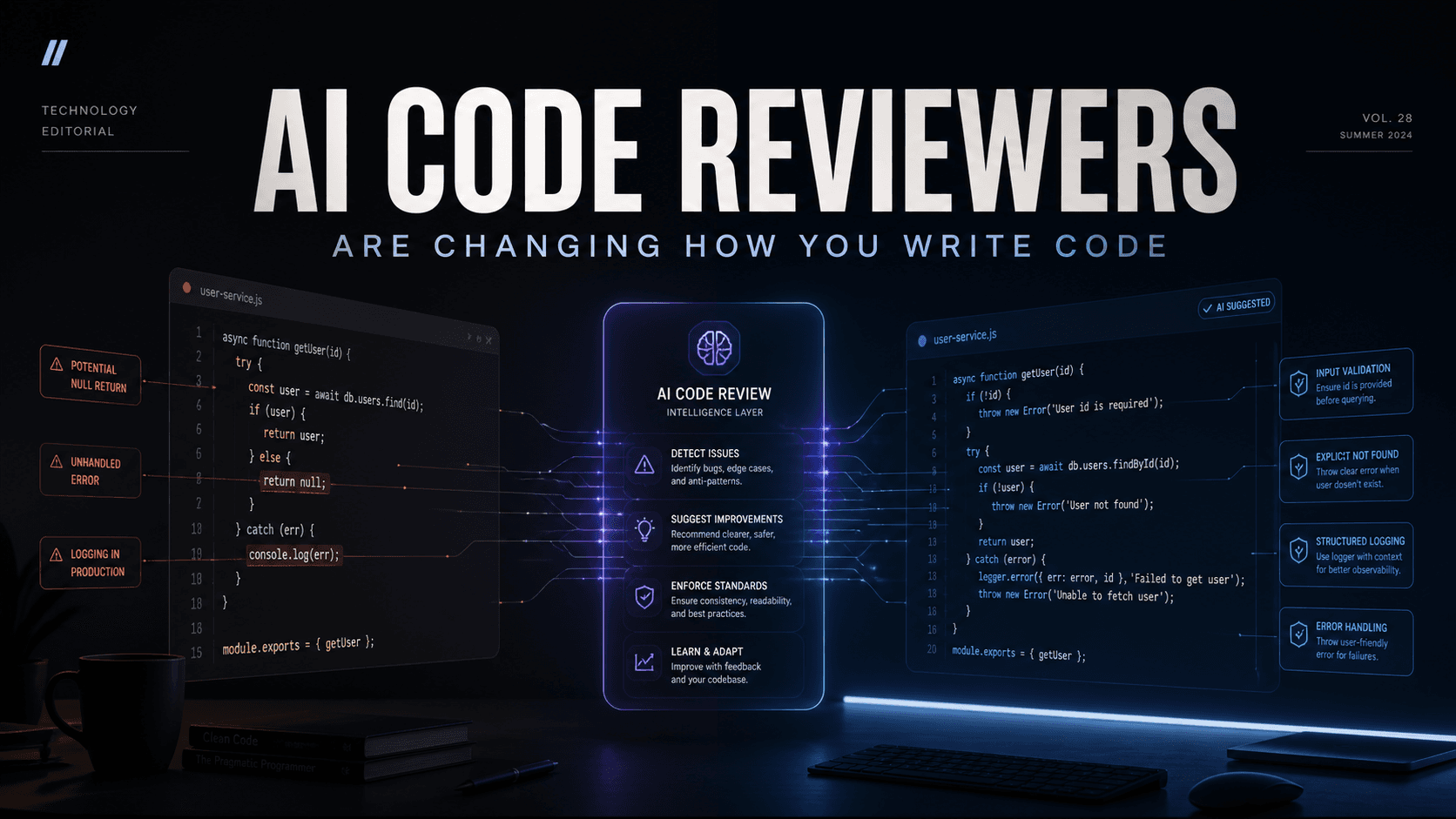
You just finished writing a feature. It works at least on your machine. Now comes the part no developer really enjoys: code review. You either wait hours for a teammate to look at your pull request, or you ship it and hope for the best. Neither feels great.
Here's the good news: AI has entered the chat and it's reading your code.
A new wave of AI-powered code reviewers is changing how developers catch bugs, enforce standards, and ship software. Whether you're a solo developer or part of a growing team, these tools act like a tireless teammate who never misses a pull request, never has a bad day, and always has feedback ready in minutes.
In this guide, we'll break down 7 of the best AI code review tools available today — in plain English, no jargon required.
🤔 What Exactly Is an AI Code Reviewer?
Think of it like spell-check, but for your code and a lot smarter.
An AI code reviewer is a tool that automatically reads the changes you make to your codebase (usually through a pull request), then leaves comments pointing out bugs, security issues, bad practices, or anything that could go wrong. Instead of waiting for a human colleague to review your work, the AI does an initial sweep — often in under five minutes — so humans can focus on the big decisions rather than the small mistakes.
Now, let's meet the tools.
1. CodeRabbit — The Most Popular One for a Reason
Pricing: Free (open source) | Pro: $15/user/month | Enterprise: $30/user/month
If there's one tool that's taken the developer world by storm, it's CodeRabbit. It is currently the most-installed AI code review app on both GitHub and GitLab — and the numbers back that up. As of early 2026, it has reviewed over 13 million pull requests across more than 2 million repositories.
What makes it stand out? The moment you open a pull request, CodeRabbit jumps in with a plain-English summary of your changes, line-by-line comments, and even sequence diagrams that show how your code flows. It also runs over 40 built-in linting and security tools alongside its AI brain, so you get the best of both worlds. And if you're working on an open-source project, the full Pro plan is completely free — no seat limits, no expiry.
💡 Try it: Head over to coderabbit.ai and connect your GitHub or GitLab repo in two clicks. Your first review will be ready in minutes.
2. Jules by Google — The Newest Kid on the Block
Pricing: Free (public beta, with usage limits)
Google doesn't do things quietly. Jules is their autonomous coding agent, launched in public beta at Google I/O 2025, and it's a different beast from most tools on this list. Rather than just commenting on your code, Jules actually does the work — it clones your entire repository into a secure cloud environment, figures out what needs to be done, and submits a pull request with the changes.
What's truly exciting is Jules' built-in "critic" feature, added in August 2025. Before Jules even hands you its finished code, an internal AI reviewer interrogates it — checking for logic errors, inefficiencies, and subtle bugs so what you receive has already been stress-tested internally. It runs on Gemini 2.5 Pro, one of Google's most advanced reasoning models, and your private code is never used to train their models.
It's currently best suited for well-scoped tasks like writing tests, fixing bugs, or updating dependencies. Think of it as an extremely capable junior developer you can delegate to while you focus on the big picture.
💡 Try it: Sign up at jules.google — it's free during the beta. Connect your GitHub account and assign Jules its first task.
3. Qodo — The Testing Obsessive
Pricing: Freemium | Paid plans from $19/user/month
Formerly known as CodiumAI, Qodo has one obsession: making sure your code actually works. While other tools focus on spotting style issues or catching bugs, Qodo goes deeper into automated test generation. Its autonomous agent, Qodo Cover, builds entire validation test suites that make sure your application keeps functioning correctly every time you make a change — a concept developers call regression testing.
Qodo supports multiple programming languages, plugs into popular IDEs like VS Code and JetBrains, and takes data security seriously — applying two-way encryption and strict data retention policies. Some users note there's a learning curve with its more advanced features, but once you're past that, it's a powerhouse for teams that care deeply about test coverage.
💡 Try it: Visit qodo.ai and install the extension for your IDE. Start with the free tier and watch it generate tests for your existing code automatically.
4. Greptile — Talk to Your Codebase
Pricing: Paid | Starts at $25/user/month
Ever wished you could just ask your codebase a question? That's exactly what Greptile makes possible. It integrates with GitHub, GitLab, and Bitbucket and offers a conversational chat interface that lets you ask things like, "Where is user authentication handled?" or "What changed in the last pull request that could affect payments?"
On the review side, Greptile provides natural language summaries of pull requests and context-aware inline comments meaning it understands not just the lines that changed, but how those lines fit into the rest of your project. It also comes with a robust API for teams that want to build custom integrations. Over 1,000 software teams have adopted it, including names like MetaMask and Wombo. It's SOC 2 compliant, which matters if your team handles sensitive data.
💡 Try it: Check out greptile.com and connect your first repository. Try asking it a question about your codebase — the answers might surprise you.
5. PullRequest by HackerOne — AI Meets Human Expertise
Pricing: Paid | Custom pricing
Most tools on this list are fully automated. PullRequest by HackerOne takes a different approach — it blends AI analysis with real human expert reviewers. The AI handles the initial scan, flagging high-risk changes and potential security issues, then routes the most critical problems to experienced human engineers who add the final layer of judgment.
This hybrid model means fewer false positives (those annoying alerts that turn out to be nothing), faster turnaround on complex issues, and an extra layer of security focus that pure-AI tools can miss. It supports GitHub, GitLab, Bitbucket, and Azure DevOps, and covers a wide range of programming languages. If your team works in a regulated industry — finance, healthcare, or anything where a security breach is unthinkable — PullRequest is worth a serious look.
💡 Try it: Request a demo at pullrequest.com and let their team match your workflow to the right review plan.
6. Trag — Your Rules, Your Way
Pricing: Freemium
Most AI reviewers come with a pre-baked set of rules about what "good code" looks like. Trag flips this around. It lets you define your own custom review patterns in plain English — no complicated configuration files required. You can tell Trag things like, "Always flag database queries that don't have error handling" or "Warn me when a function exceeds 50 lines".
Trag then automatically scans every pull request against your custom rules, suggests fixes, and even connects rules across multiple repositories in your organization. It integrates with GitHub and GitLab, supports multiple languages, and includes analytics that help team leads spot patterns in code quality over time. For teams with strong internal coding standards, Trag is a uniquely powerful fit.
💡 Try it: Start free at usetrag.com and write your first custom review rule in plain English — no technical setup needed.
7. Fume — Review Code Like a Real User Would
Pricing: Paid
Fume brings something truly unique to the table: it doesn't just read your code — it runs your app and tests it like a real user would. Using browser and terminal commands, Fume simulates actual user interactions to catch issues that would only appear at runtime, not in a static code review.
It integrates tightly with GitHub and Slack, so your team gets detailed, actionable feedback directly where they already work. Fume is particularly powerful for teams shipping web applications, where a bug in the UI can go unnoticed until a user finds it in production. It also handles multi-file change suggestions, making it useful for larger, interconnected features.
💡 Try it: Book a demo at fume.ai and see how it runs through your app's critical flows automatically.
Quick Comparison
| Tool | Best For | Pricing | Free Tier? |
|---|---|---|---|
| CodeRabbit | All-round PR reviews | From $0 | ✅ Yes (open source) |
| Jules | Autonomous task execution | Free (beta) | ✅ Yes |
| Qodo | Test generation | Freemium | ✅ Limited |
| Greptile | Codebase understanding | From $25/user/mo | ❌ No |
| PullRequest | Security + human review | Custom | ❌ No |
| Trag | Custom rule enforcement | Freemium | ✅ Limited |
| Fume | Browser/runtime testing | Paid | ❌ No |
🧭 Which One Should You Pick?
Still unsure? Here's a quick cheat sheet:
- You're a solo developer or working on open source → Start with CodeRabbit. It's free, powerful, and installs in minutes.
- You want AI to actually write and fix code for you → Give Jules a try while it's still in free beta.
- Your team keeps shipping code with untested edge cases → Qodo is built exactly for this problem.
- You're navigating a large, unfamiliar codebase → Greptile's chat feature will save you hours.
- Security is non-negotiable on your team → PullRequest by HackerOne is the professional-grade choice.
- Your team has strict internal coding standards → Trag gives you the most control.
- You build user-facing web apps and need real runtime testing → Fume tests your app the way your users experience it.
✅ Final Thoughts
AI code review tools won't replace good developers — but they will make good developers faster and more confident. The best part? Most of these tools take less than five minutes to set up. You don't need to be an expert. You just need to open a pull request.
Pick one tool from this list, connect it to a project, and see what it finds. You might be surprised what's been hiding in your code all along.